Login
Code: D-QGP5AN
How to login (for dummies):
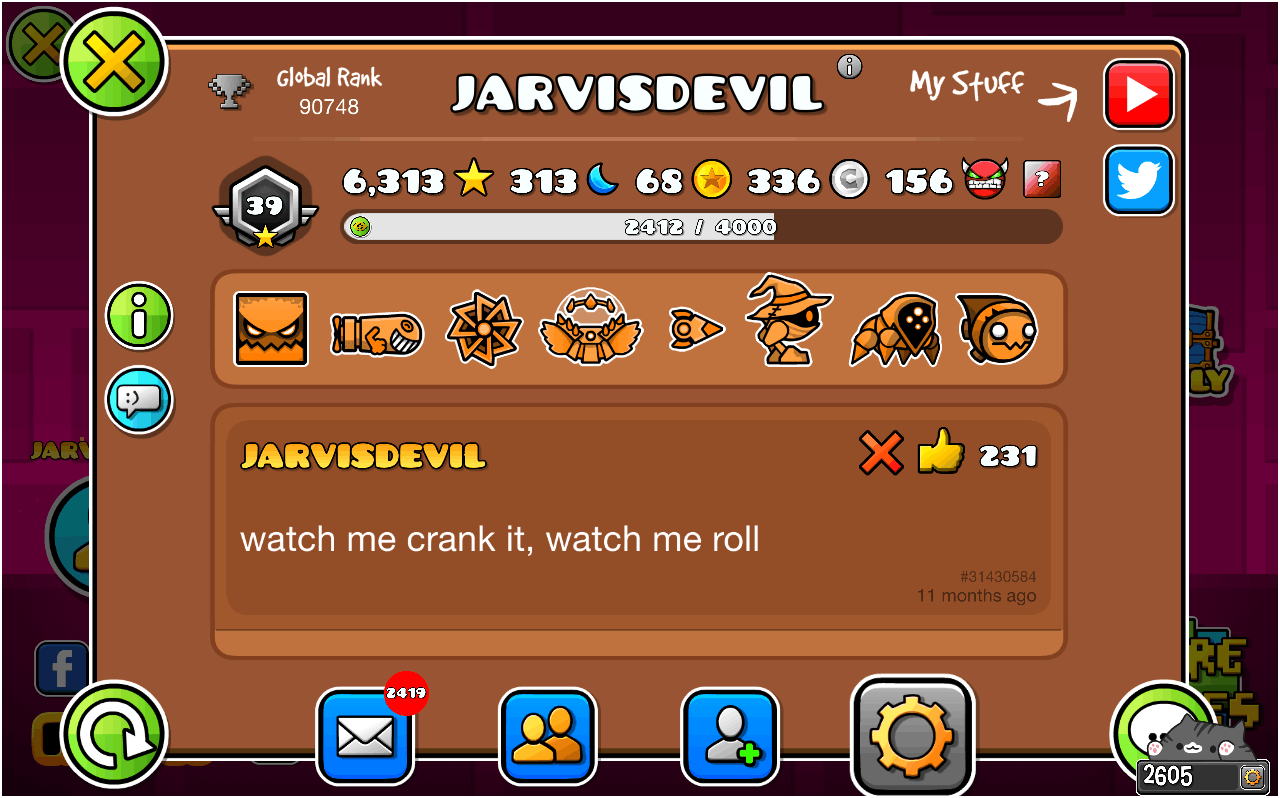
- Open Geometry Dash and click on your profile icon on the bottom left of the screen.
- Click the Settings gear which is on the left side of the comment icon.
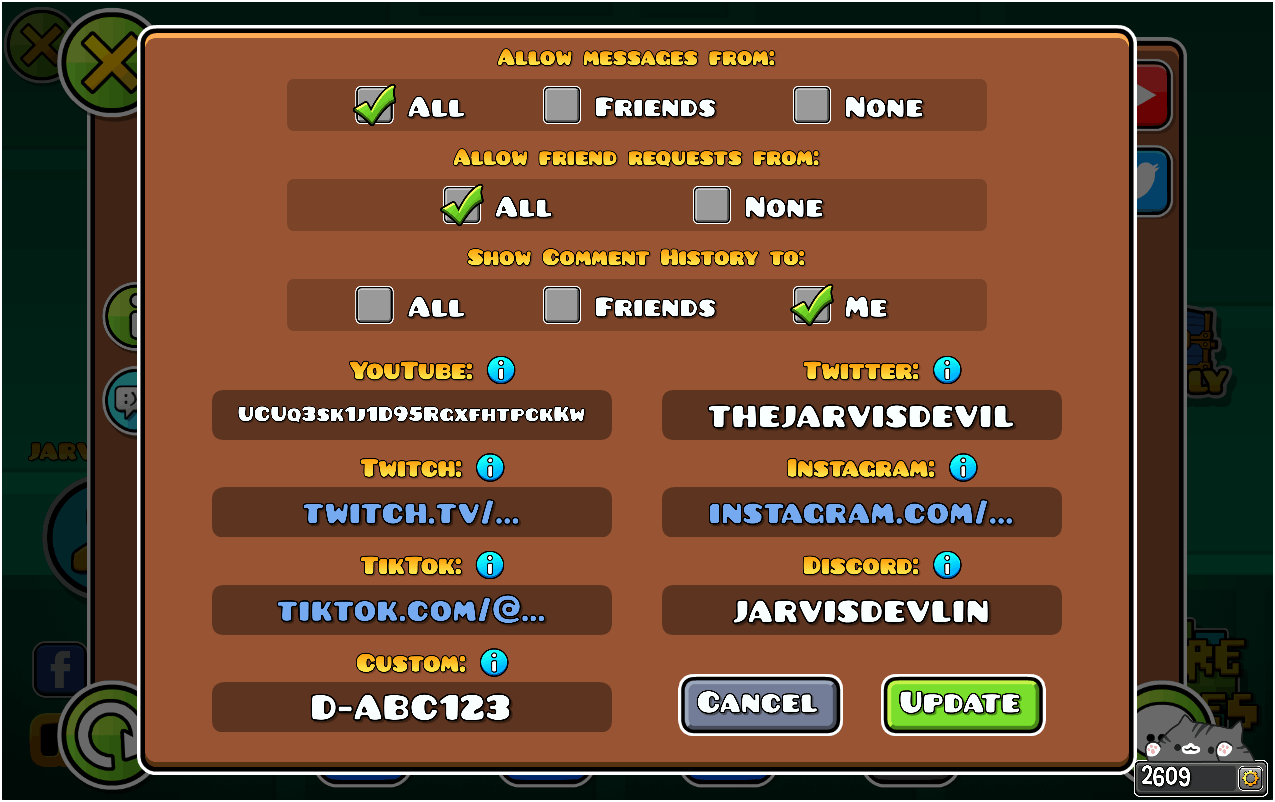
- Write down the code in the Custom field and click Save.
- Once saved, come back to this page and login by typing in your username.
(IMPORTANT: The code needs to be in all uppercase and can be removed after verification)